If You Ever Web Hosting Bought or Wordpress If you have tried to create a website, then you cPanel You must have heard the name of.
But many new users have this question in their mind-
- what is cPanel?
- what is cPanel used for?
- Is cPanel necessary to run a website?
- what is the difference between cPanel and WordPress?
In This Guide We will Understand CPanel In Very Simple Language.
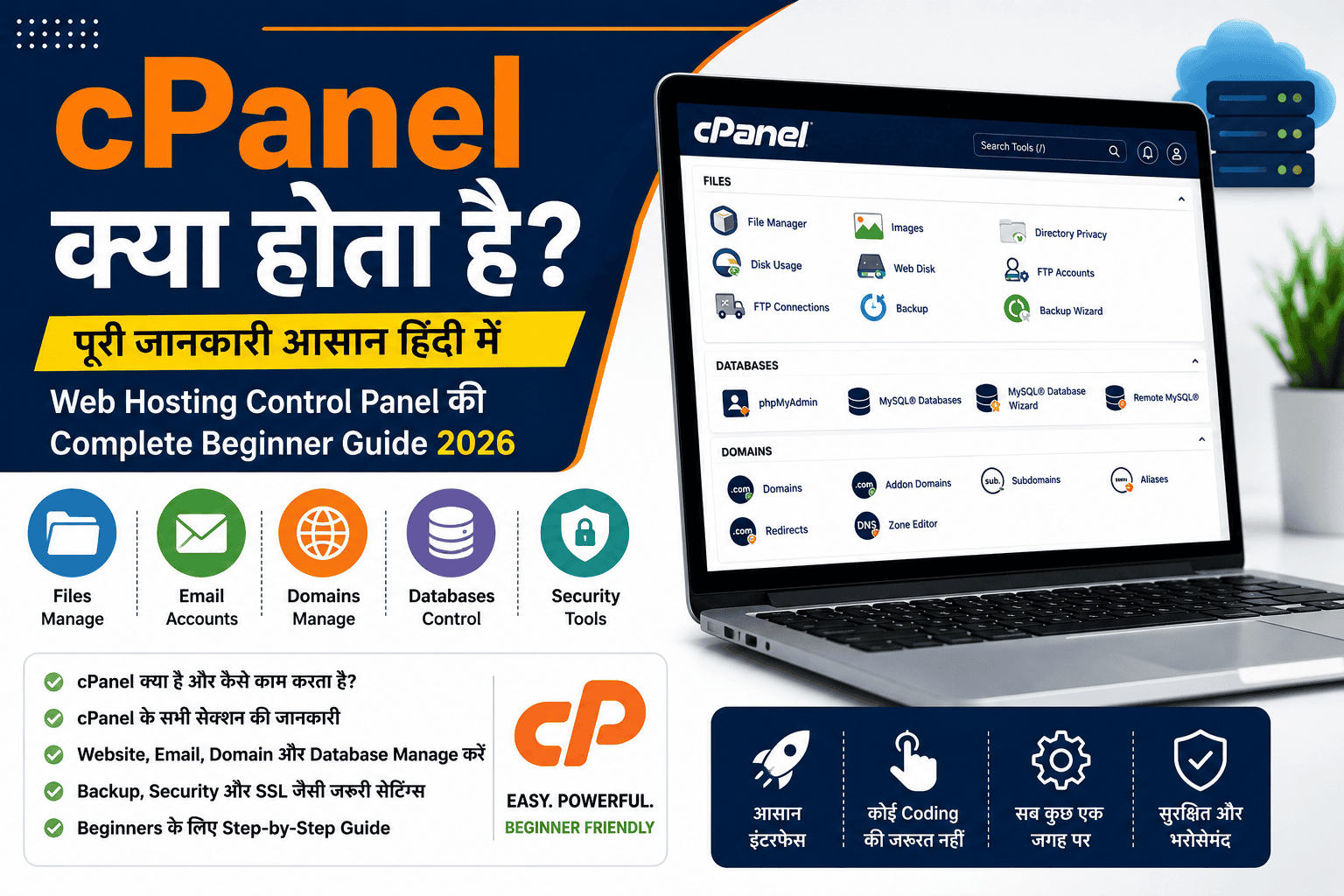
what Is CPanel?
cPanel Is A Web Hosting Control Panel, with the help of which you can manage your Website, Domain, Email, Database, Files and Security Settings without coding.
In Simple Words,
cPanel is the control room of your website.
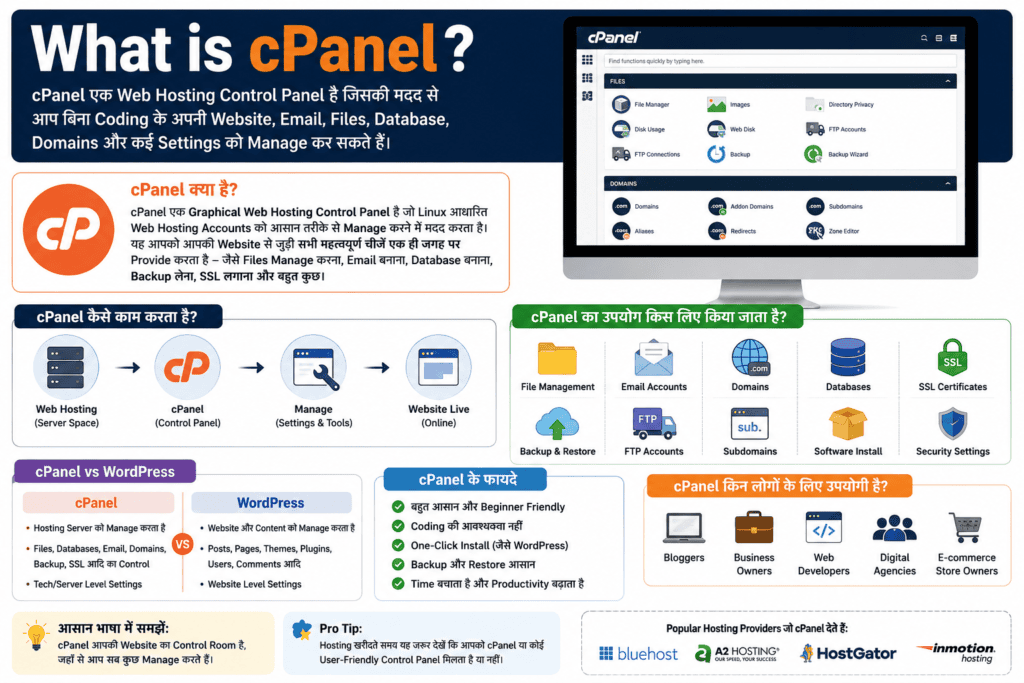
Just like there are settings in a mobile, similarly cPanel is used to manage the settings of the hosting account.
Easy Example
Let's Say You Bought A New House.
- Home = Your Website
- Land = Web Hosting
- Address = Domain Name
- Control Of Electricity, Water And Security = cPanel
That means to manage the website you need cPanel.
what is the full name of cPanel?
Interesting thing cPanel There Is No Short Form.
This is the brand name of a commercial software, which web hosting companies provide to their customers to manage websites.
why Was CPanel Created?
Earlier to manage the website one had to use Linux Commands and Terminal.
It was difficult for beginners.
To ease this problem, Graphical Control Panels were developed, of which cPanel became the most popular.
history of cPanel
- Initial development of cPanel began in 1996.
- Gradually It Became The Standard Control Panel Of Shared Hosting.
- Even today, many hosting companies in the world provide cPanel to their customers.
However, now some companies are also developing their own custom control panels.
What is Control Panel?
Control Panel is the interface with the help of which you manage your hosting account.
Example:
Control Panel is used to manage all this.
what Is CPanel Used For?
cPanel lets you:
✔ Can upload website.
✔ Can install WordPress.
✔ Can create email accounts.
✔ Can enable SSL.
✔ Can manage database.
✔ Can take backups.
✔ Domains Can Be Added.
✔ PHP Version Can Be Changed.
✔ Can use File Manager.
relation Between CPanel And Web Hosting
Many beginners think that hosting and cPanel are the same thing.
It's not like that.
Understand:
Web Hosting

↓

cPanel

↓

Website Management
Hosting stores your website.
cPanel helps to manage it.
what is the difference between cPanel and WordPress?
This Is One Of The Most Common Questions.
| cPanel | Wordpress |
|---|---|
| Hosting Control Panel | Content Management System (CMS) |
| Manages the website | Creates website and publishes content |
| Server Level Settings | Website Level Settings |
| Files, Database, Email | Posts, Pages, Themes, Plugins |
In Simple Words:
manages cPanel Server.
WordPress manages the website.
Does every hosting have cPanel?
No.
Some Hosting Providers:
- cPanel provides.
- Some Provide Their Own Custom Control Panel.
Example:
- cPanel
- hPanel
- Plesk
- DirectAdmin
Therefore, Before Purchasing Hosting, It Is A Good Idea To See Which Control Panel Is Available.
who is cPanel useful for?
- Bloggers
- WordPress Users
- Freelancers
- Web Developers
- Small Business Owners
- Digital Agencies
why is it important to learn cPanel?
If You Want To Manage Your Website Yourself, It Is very Useful To Have Basic Knowledge Of CPanel.
This lets you:
- Can solve small problems yourself.
- You can install WordPress.
- Can take website backup.
- Can enable SSL.
- Can upload files.
main Features Of CPanel
- File Manager
- MySQL Databases
- Email Accounts
- Domains
- Subdomains
- SSL Management
- PHP Settings
- Backup
- Softaculous Installer
- Metrics
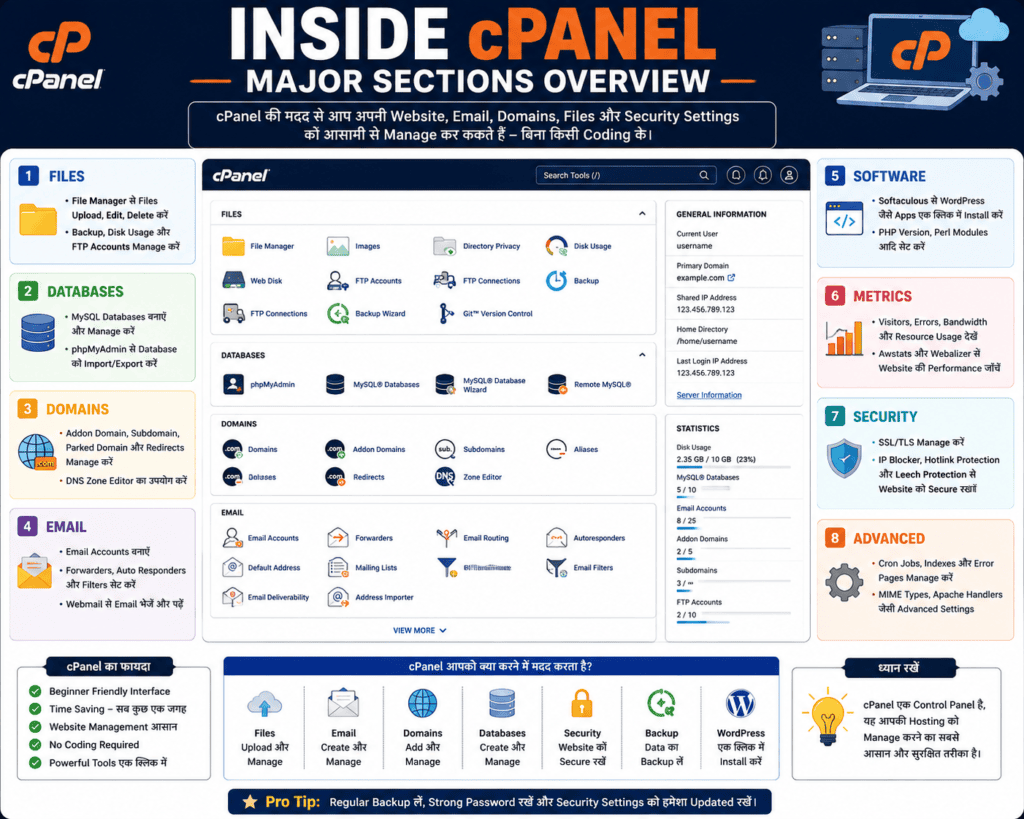
We will learn all these topics in detail in the next chapters.
benefits Of CPanel
✅ Beginner Friendly
✅ Graphical Interface
✅ Coding की आवश्यकता नहीं
✅ Website Management आसान
✅ One-Click WordPress Installation
✅ Backup और Restore
✅ Email Management
cPanel limitations
- Some Hosting Providers Do Not Use It.
- This Is Not Self Hosting.
- Its Interface May Change Slightly According To The Version.
HostingGyaan Tip
If you are building your first website, choose hosting that:
- Have an easy control panel.
- One-Click WordPress Installation.
- Get Free SSL.
- Good customer support should be available.
cPanel is a powerful hosting control panel that makes website management easy. With its help, you can manage many things like Files, Domains, Databases, Email Accounts, SSL and WordPress without coding.
If You Want To Start Blogging, Affiliate Website Or Business Website, Then Basic information About CPanel Will Be Very Useful For You.