अगर आप WordPress website या blog बनाना चाहते हैं, तो सबसे पहले आपको दो चीज़ों की जरूरत होती है:
- Domain Name
- Web Hosting
अधिकतर beginners को यही confusion होता है कि
👉 Web Hosting क्या होती है और WordPress के लिए क्यों ज़रूरी है?
इस पोस्ट में हम इसे simple Hindi में और English technical terms के साथ detail में समझेंगे।
वेब होस्टिंग क्या होती है? (What is Web Hosting?)
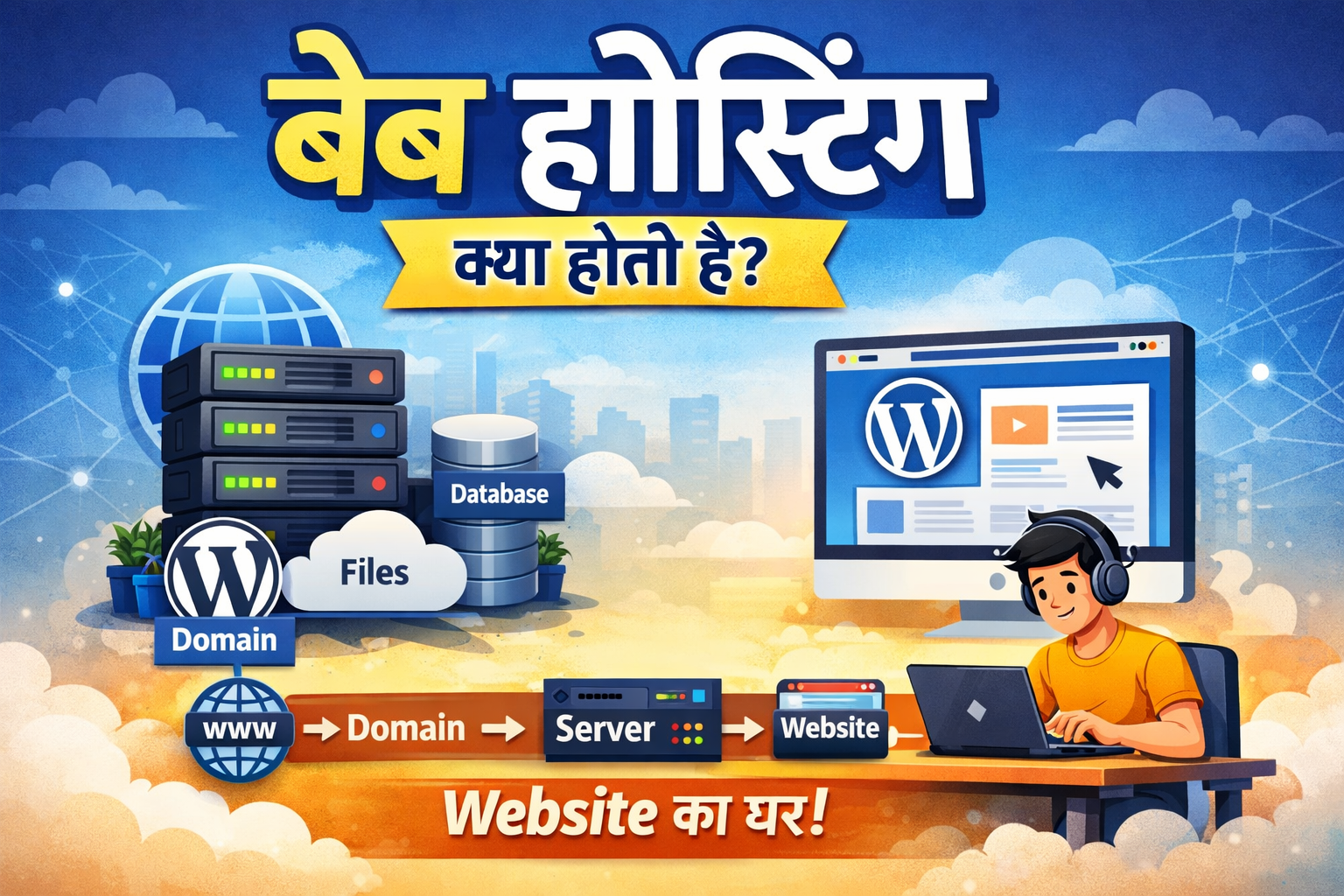
Web Hosting एक ऐसी service होती है, जहाँ आपकी website की सभी files जैसे:
- HTML, CSS, JavaScript files
- Images, Videos
- Database (MySQL)
- WordPress files
👉 Internet से connected एक server पर store की जाती हैं।
जब कोई user आपके domain name को browser में open करता है, तो hosting server से ये files load होकर user को दिखाई देती हैं।
📌 आसान शब्दों में:
Web Hosting = Website का घर (Server)
WordPress के लिए Web Hosting क्यों ज़रूरी है?
WordPress एक CMS (Content Management System) है, लेकिन:
❌ WordPress खुद hosting provide नहीं करता
❌ WordPress बिना hosting के run नहीं हो सकता
WordPress website को चलाने के लिए hosting server चाहिए जो:
- PHP support करे
- MySQL database allow करे
- Fast loading दे
- Secure environment provide करे
Web Hosting कैसे काम करती है? (How Hosting Works)
Step-by-step process समझिए:
1️⃣ आपने एक Domain Name खरीदा
2️⃣ आपने एक Web Hosting Plan लिया
3️⃣ Domain को hosting server से connect किया
4️⃣ Hosting server पर WordPress install किया
5️⃣ Visitor ने domain open किया
6️⃣ Hosting server से data load होकर website दिखी
👉 यह पूरा process few seconds में होता है।
Web Hosting के मुख्य प्रकार (Types of Web Hosting)
🔹 1. Shared Hosting
सबसे popular और beginner-friendly hosting।
कैसे काम करती है?
एक ही server पर कई websites hosted होती हैं।
Best for:
- New WordPress blogs
- Beginners
- Low budget users
Pros:
- Cheap price
- Easy to manage
Cons:
- Limited resources
- High traffic पर speed slow हो सकती है
🔹 2. WordPress Hosting
यह hosting खास तौर पर WordPress websites के लिए optimized होती है।
Features:
- 1-Click WordPress Install
- Automatic updates
- Better security
Best for:
Beginners + Bloggers
🔹 3. VPS Hosting (Virtual Private Server)
इसमें server का एक dedicated portion मिलता है।
Best for:
- Medium traffic websites
- Growing businesses
Technical knowledge required: Medium
🔹 4. Cloud Hosting
Multiple servers पर website run होती है।
Advantages:
- High performance
- Better uptime
- Scalability
Best for:
High traffic WordPress sites
WordPress के लिए Best Hosting कौन-सी होती है?
Beginners के लिए ideal hosting में ये features होने चाहिए:
✅ 1-Click WordPress Install
✅ Free SSL Certificate
✅ SSD Storage
✅ Good Server Uptime (99.9%)
✅ 24/7 Customer Support
✅ Beginner-friendly Control Panel
Domain और Hosting में Difference
| Feature | Domain | Hosting |
|---|---|---|
| Purpose | Website address | Website storage |
| Example | google.com | Server |
| Required | Yes | Yes |
| Renewal | Yearly | Monthly / Yearly |
📌 Website चलाने के लिए Domain + Hosting दोनों जरूरी हैं।
Hosting खरीदते समय किन बातों का ध्यान रखें?
WordPress beginners को ये check करना चाहिए:
- Server location (India/Asia preferred)
- Renewal pricing
- Customer support quality
- Backup option
- Money-back guarantee
Free Hosting क्यों Avoid करनी चाहिए?
❌ Slow speed
❌ Limited storage
❌ No proper support
❌ Ads forced
❌ Security risk
👉 Serious WordPress website के लिए Free Hosting recommended नहीं है।
Final Conclusion (निष्कर्ष)
👉 Web Hosting WordPress website की backbone होती है।
अगर hosting अच्छी नहीं होगी, तो:
- Website slow होगी
- SEO affect होगा
- Visitors trust नहीं करेंगे
इसलिए शुरुआत से ही reliable WordPress hosting choose करना सबसे सही decision होता है।
🔔 Affiliate Disclosure
इस पोस्ट में affiliate links जोड़े जा सकते हैं। यदि आप इनके माध्यम से purchase करते हैं, तो हमें बिना किसी अतिरिक्त लागत के commission मिल सकता है।
❓ क्या WordPress के लिए अलग hosting चाहिए?
हाँ, WordPress-optimized hosting performance और security बेहतर देती है।
❓ क्या Shared Hosting WordPress के लिए ठीक है?
हाँ, beginners के लिए Shared Hosting सबसे अच्छा option है।
❓ क्या बिना hosting WordPress site बना सकते हैं?
नहीं, hosting के बिना WordPress website live नहीं हो सकती।